#
Static analysis tools for CIP packages
Table of contents
IEC-62443 Requirement for Static Code Analysis
IEC-62443-4-1 SI-2
Static Code Analysis for source code to determine security coding errors such as buffer overflow, null pointer dereferencing etc, using the secure coding standard for the supported programming languages
Exida comment
This requirement refers to static analysis tools, Static analysis must be run on the source code, the combination of code reviews and static analysis should confirm that the coding guidelines have been met. Further investigation needed to verify if Coverity by Synopsys could possibly be used as it is free for open source projects
Coverity Scan
Coverity Scan is a free static-analysis cloud-based service for the open source community
How to use Coverity scan
Create account & register an open source project in coverity scan website https://scan.coverity.com/
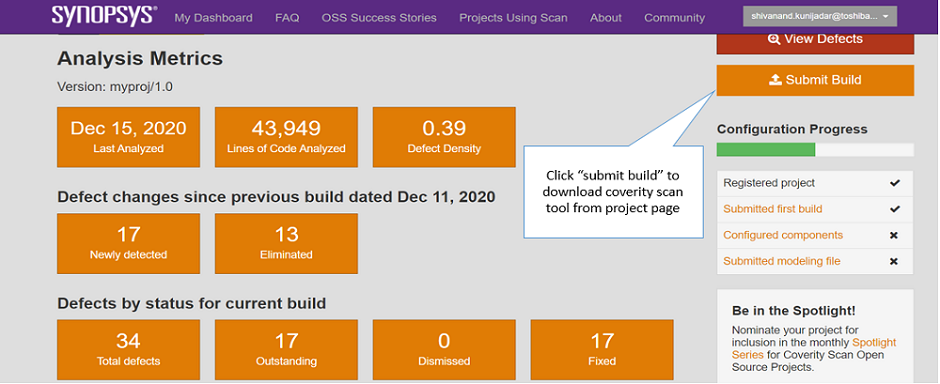
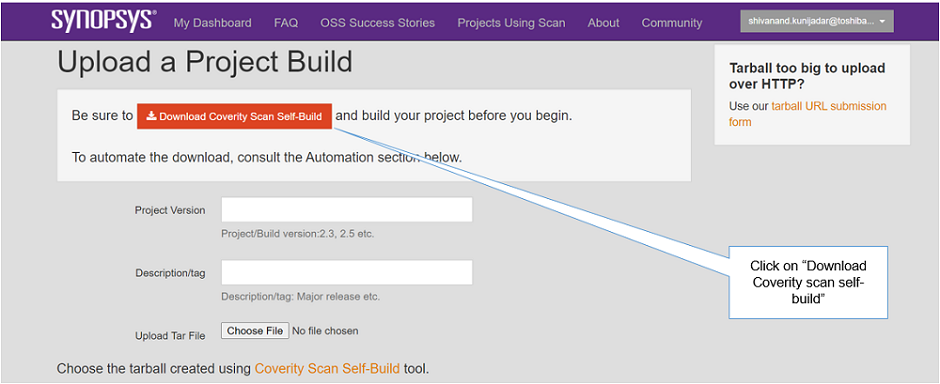
Download coverity scan self-build tool from coverity scan website(.tar.gz)
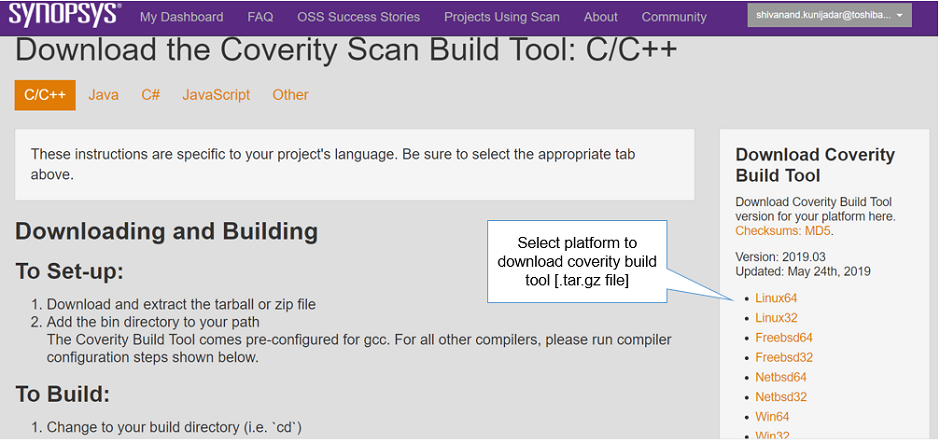
Extract .tar.gz and add the coverity scan self-build tool’s bin directory to the path in Linux PC
$ export PATH=$PATH: $(pwd)/cov-analysis-linux64-2019.03/bin
Checkout repository/package and run the Coverity scan self-build tool inside the repository
$ cov-build –dir cov-int
<build command>Ex: $ cov-build –dir cov-int make –> Build command
makemight change based on the package or repository
Create a compress tar archive of the results (generates .tgz file)
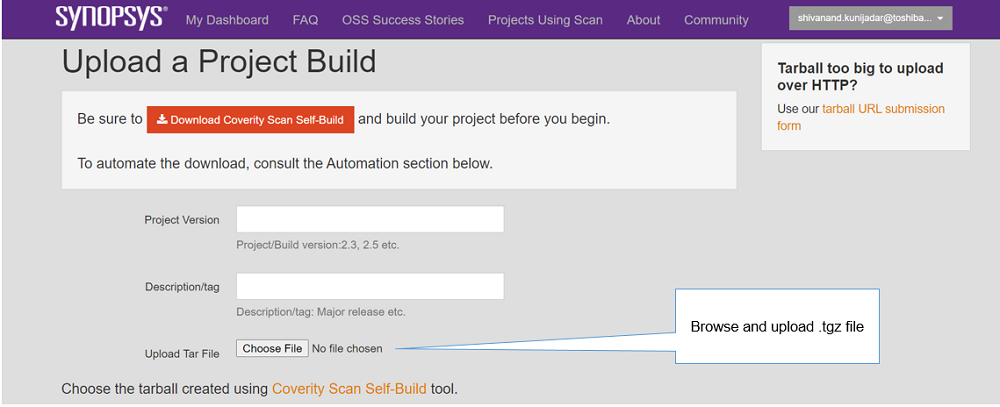
$ tar czvf myproject.tgz cov-int –> Upload the generated tarball(.tgz) to the coverity scan website for analysis
Note:
Click on “submit build” -> “Download Coverity Scan Self-Build” option to see the detailed steps on how to use the coverity scan tool https://scan.coverity.com/download?tab=cxx
Register multiple projects if coverity scan analysis is required for multiple packages/repositories
Click on “Submit Build” to upload tarball(myproject.tgz) to coverity scan website
Select project to see analysis metrics from the coverity website
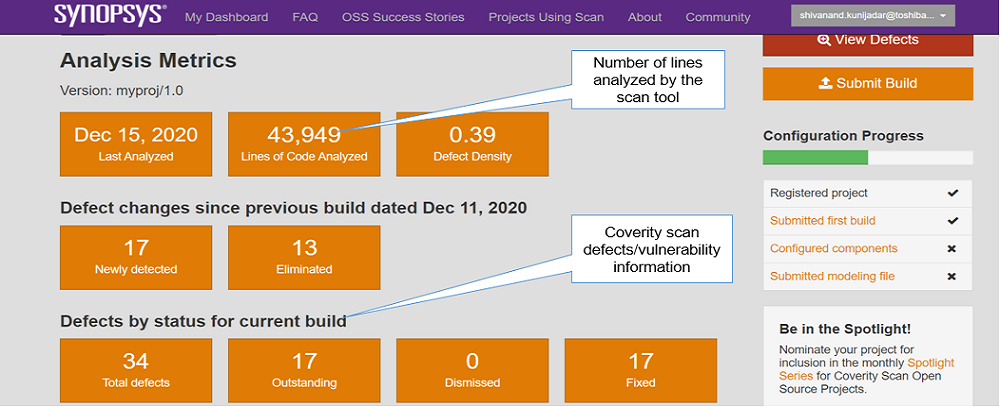
Click on “View Defects” option to see Defects/Vulnerabilities from the coverity scan website
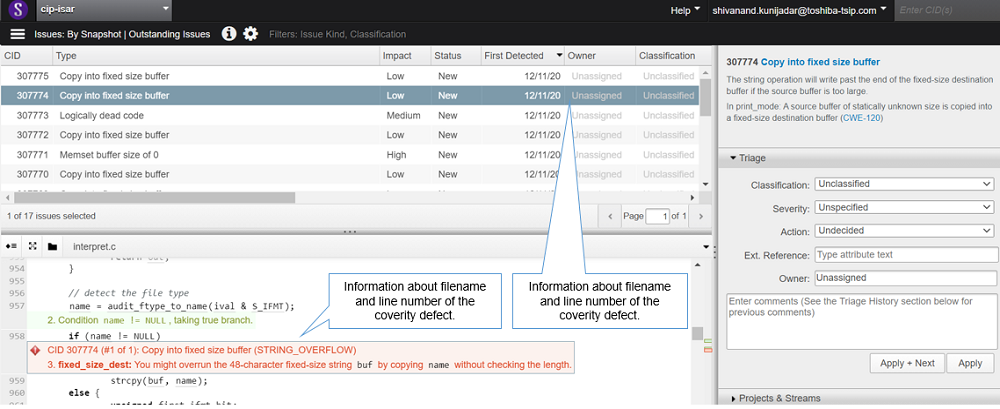
Note: * The coverity scan analysis can be integrated to Gitlab CI after project registration * https://www.synopsys.com/blogs/software-security/integrating-coverity-scan-with-gitlab-ci/
Key points:
Coverity scan is free static analysis and cloud based service tool
Automation is possible using Gitlab CI
Results can be easily published as coverity scan provides the defects view option
Needs to create separate project for each package if there are multiple packages
Gitlab SAST
GitLab Software Application Security Testing(SAST) supports a variety of languages, package managers, and frameworks
How to use Gitlab SAST
Refer the following link for how to configure the SAST in the project using Gitlab UI
SAST job runs automatically once the SAST is enabled and configured in the .yml file
Refer the below link for supported languages and frameworks
Note: * Refer the content of SAST.gitlab-ci.yml file in the below link * https://gitlab.com/gitlab-org/gitlab/blob/master/lib/gitlab/ci/templates/Security/SAST.gitlab-ci.yml
Example: .gitlab-ci.yml file configuration looks as below
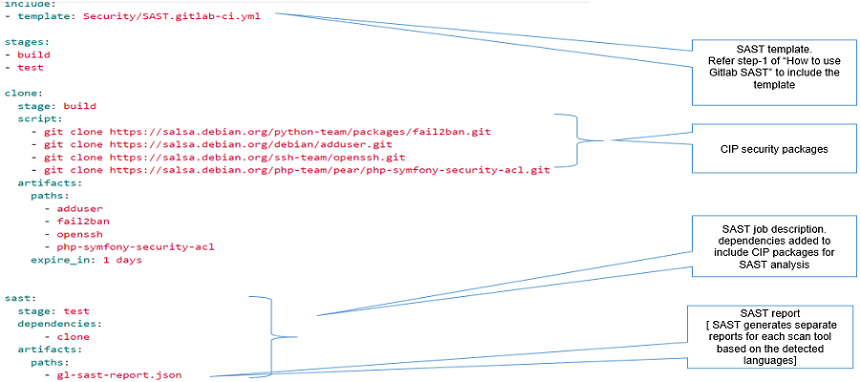
The SAST scan tools checks the repository for suitable files based on the scan tools and runs the job if suitable file/files are present in the repository
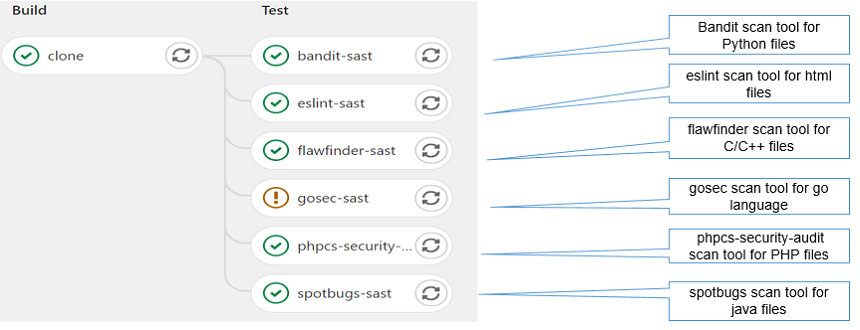
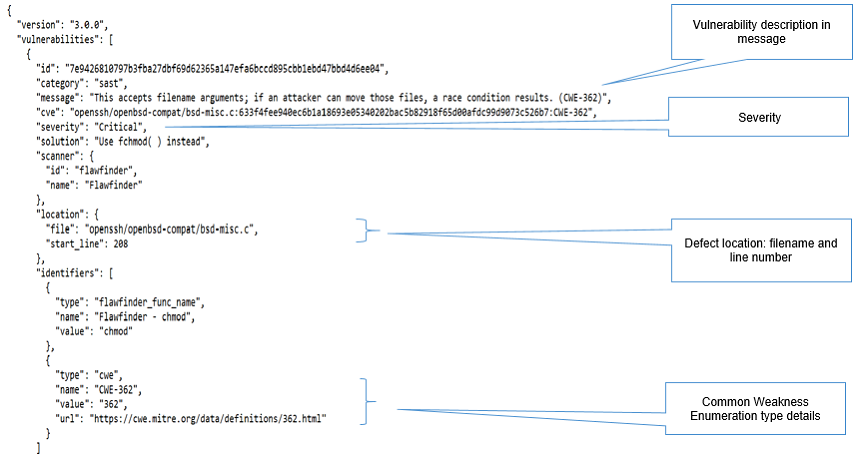
Each scan tool generates separate report (gl-sast-report.json) and can be downloaded via artifacts
SAST flawfinder scan tool report looks as below
Key points:
Open source static analyzer from Gitlab for CI environment
Creates separate reports in json format for each scan tool
Generates combined reports if there are multiple packages
Need to check how to publish the results to upstream from the SAST reports (json)
Next Step
Following steps would be required further to apply Static Code Analysis (SCA) in CIP * Finalize list of CIP packages for SCA * Integrating either coverity scan or gitlab SAST tool in isar-cip-core and Deby * How to report issues found during SCA to upstream